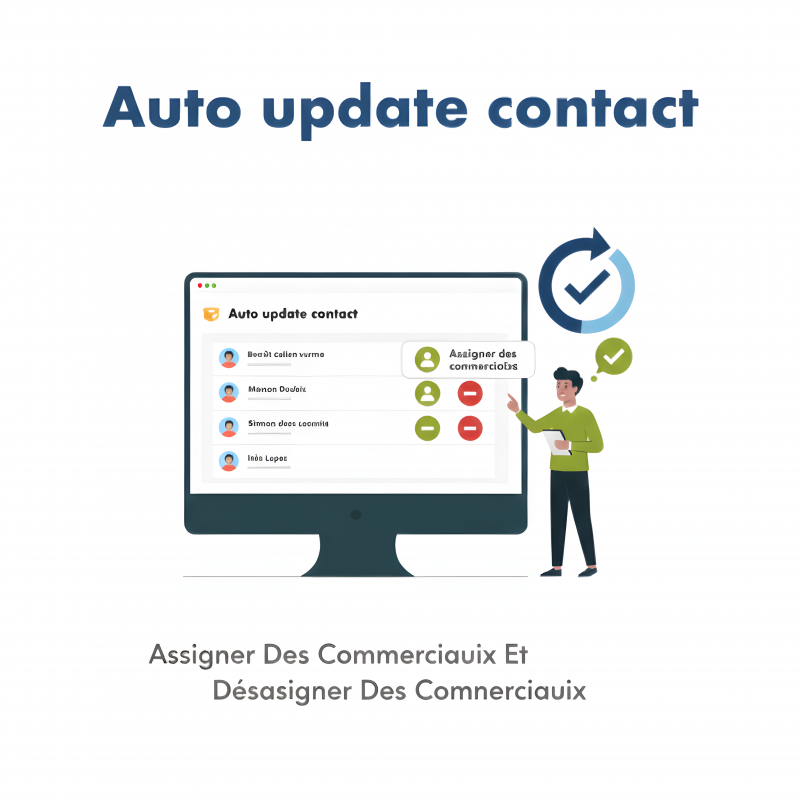
The Auto update contact module streamlines the management of sales representatives / follow-up contacts in Dolibarr.
It automates the assignment, unassignment and update of sales reps on third parties and on business documents (proposals, orders, invoices, supplier orders, etc.).
The Auto update contact module streamlines the management of sales representatives / follow-up contacts in Dolibarr.
It automates the assignment, unassignment and update of sales reps on third parties and on business documents (proposals, orders, invoices, supplier orders, etc.).
No more manual updates contact by contact or document by document: in just a few clicks, you can update an entire customer portfolio and all related documents over a given period.
Maintain consistent commercial follow-up between third parties and their documents.
Save a significant amount of time when:
a sales rep changes,
you reorganise territories / portfolios,
or you need to clean up existing data.
Reduce entry errors and missed updates.
Give sales teams a clear view of who is in charge of which customer, and on which documents.
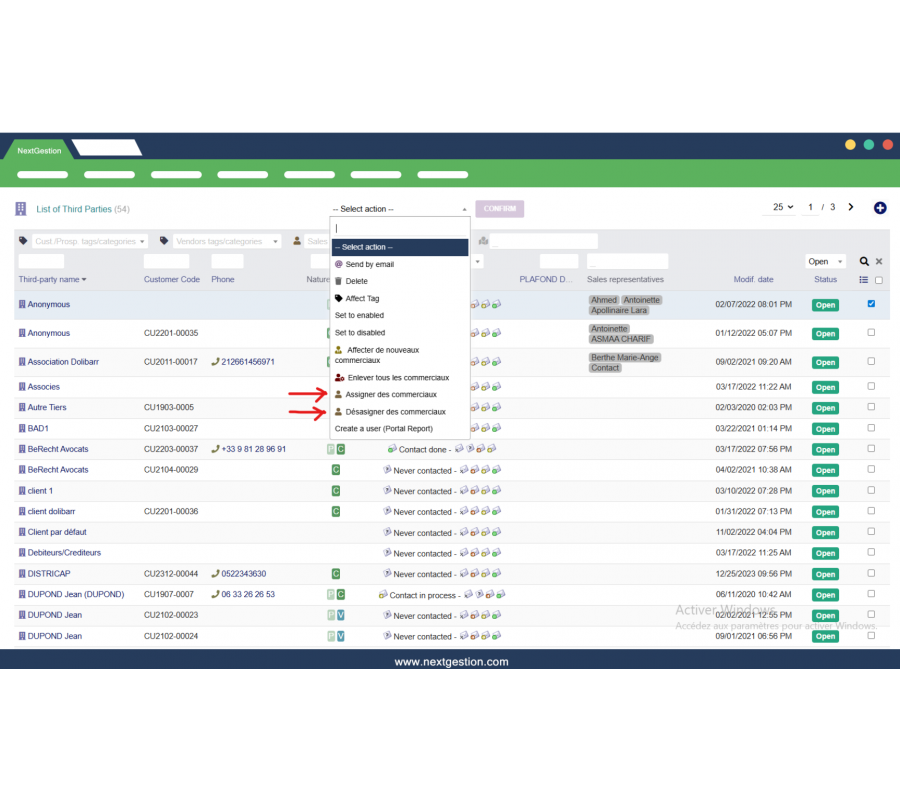
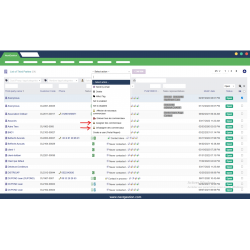
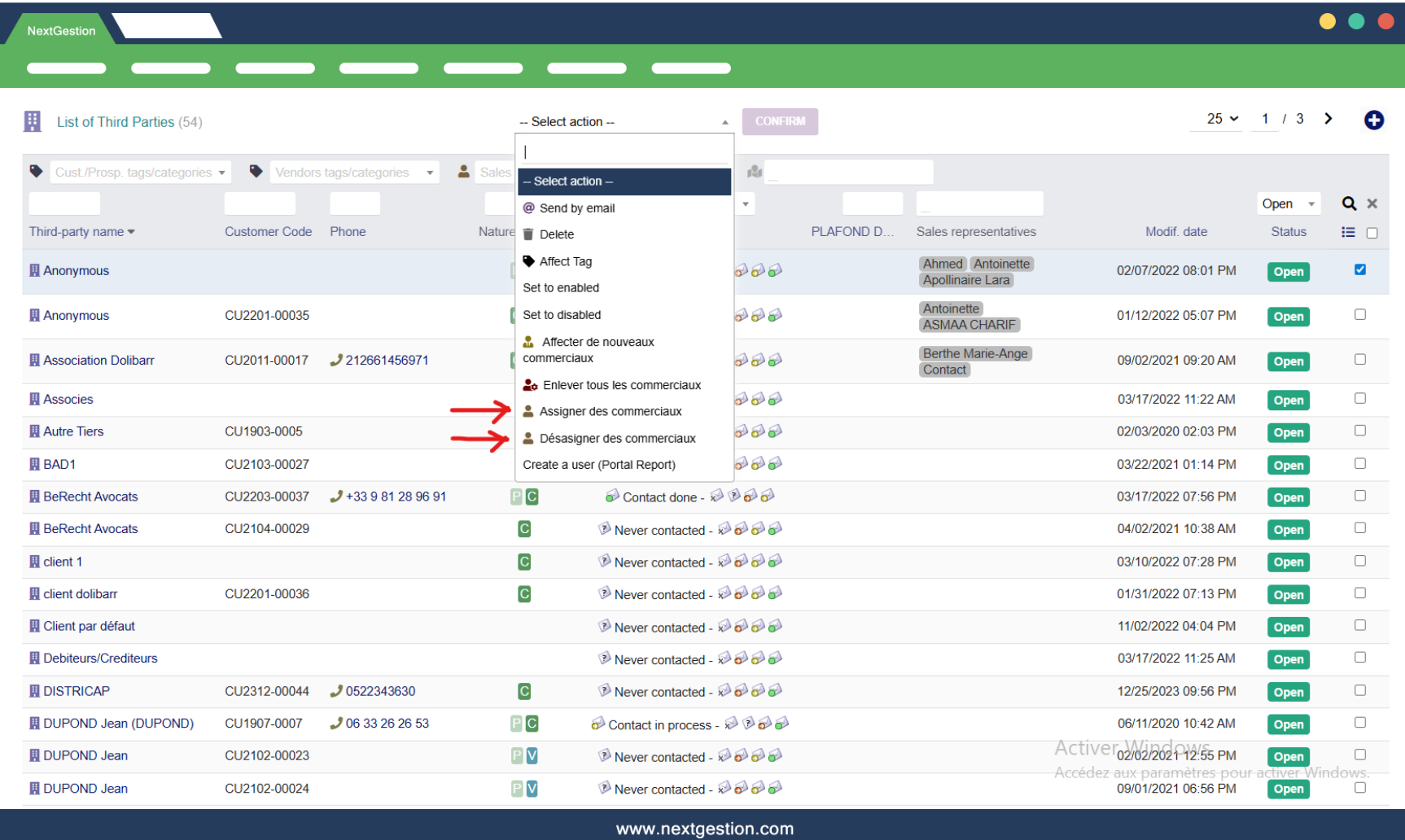
In the third parties list, the module adds new bulk actions:
Assign sales reps: select multiple third parties, choose one or more sales reps, and the assignment is applied in bulk.
Unassign sales reps: remove one or more sales reps from all selected third parties.
Remove all sales reps (if enabled): clears the “sales representatives” field for the selected third parties.
These actions are especially useful when portfolios are changed or when a sales rep leaves the company.
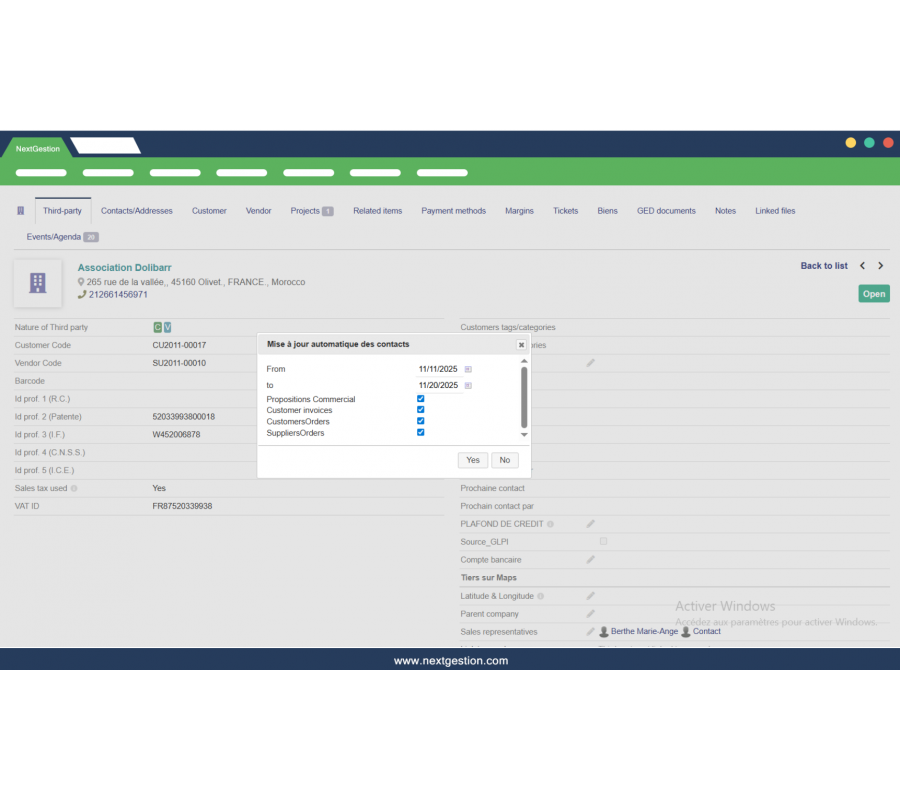
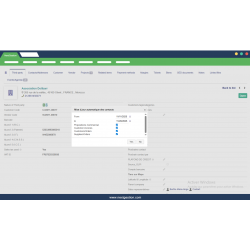
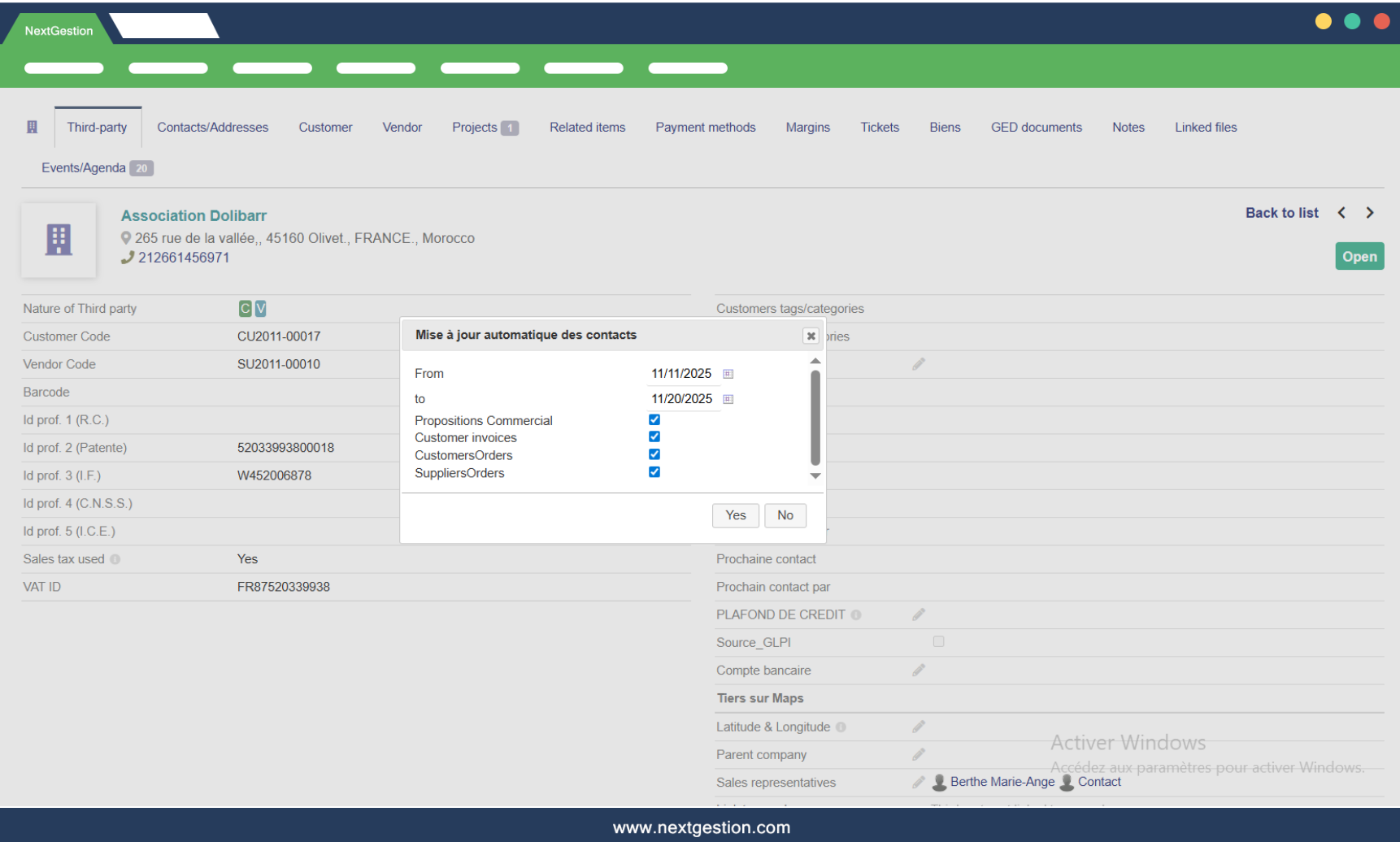
On a third party card, the module adds an “Automatic contact update” window: you select a date range (from … to …) and the document types to update, for example:
Commercial proposals
Customer invoices
Customer orders
Supplier orders
(and other supported types depending on your Dolibarr configuration)
Once validated, the module scans all documents of the third party over the selected period and automatically replaces contacts / sales reps according to the current assignment on the third party. Example: you replace sales rep A with sales rep B on a customer; in one click, all quotes / orders / invoices of this customer, for the chosen period, are updated so that sales rep B appears instead of sales rep A.
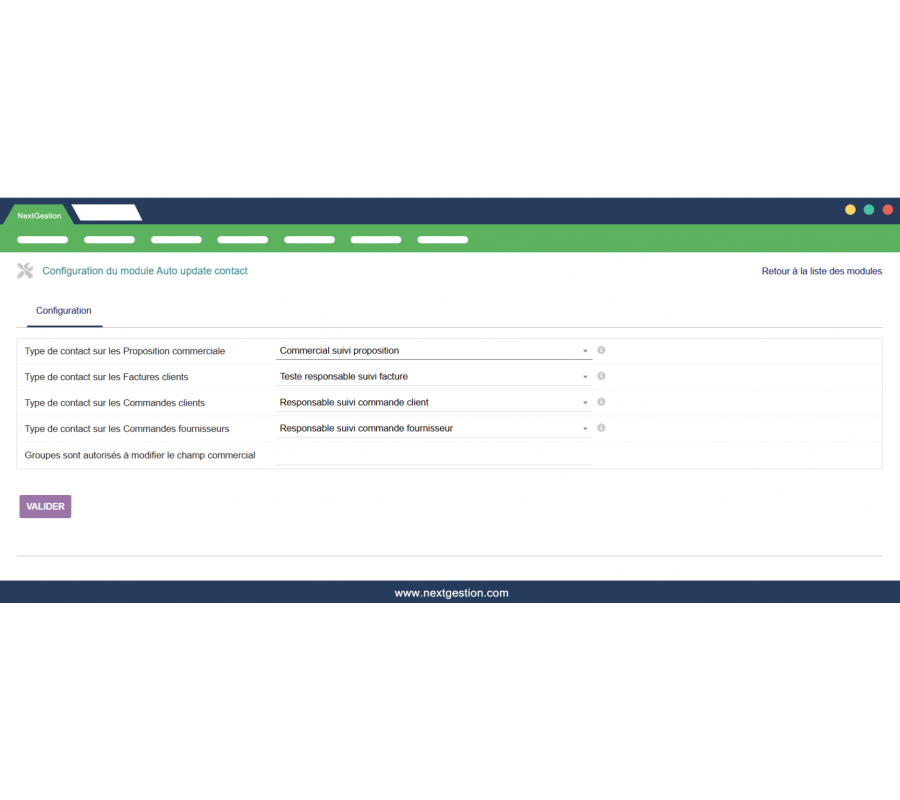
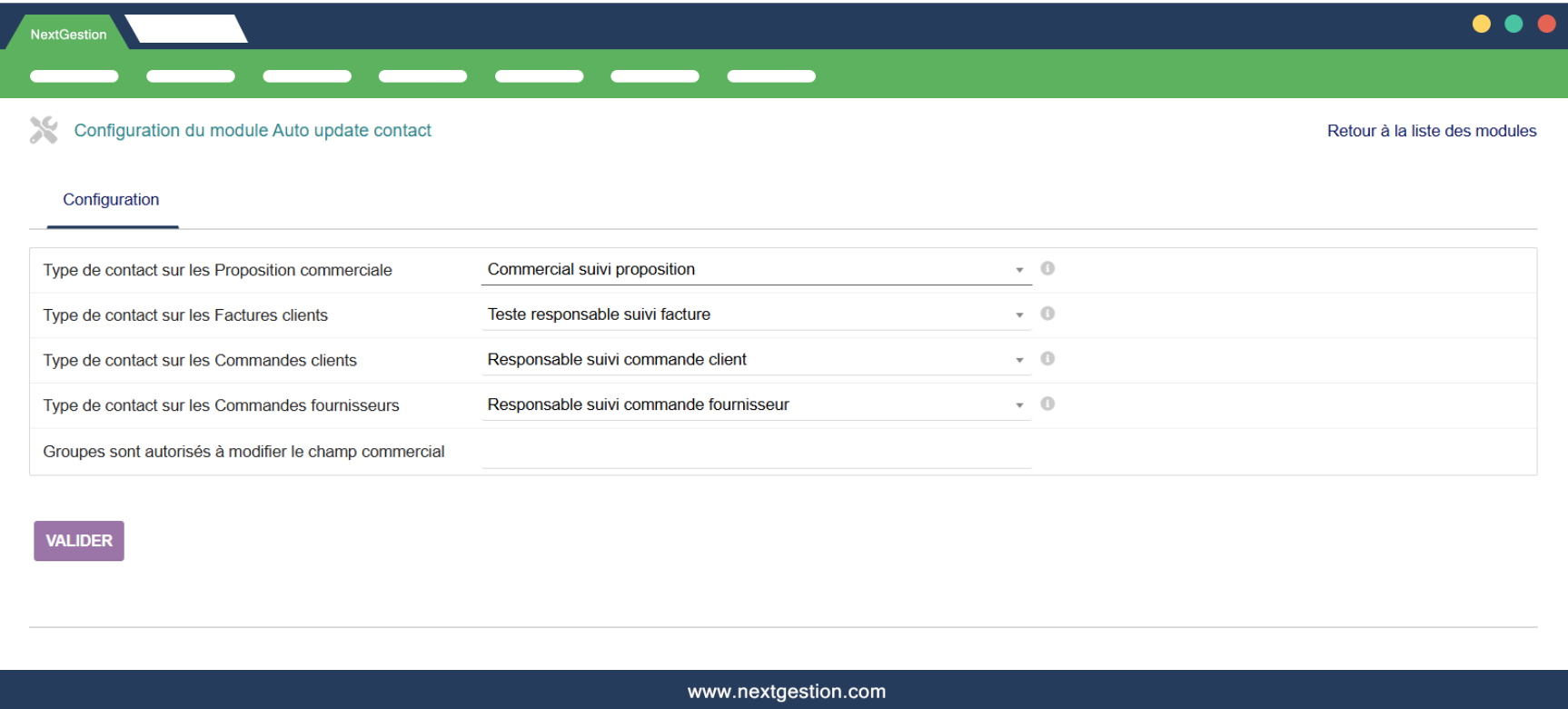
The module provides a dedicated configuration page where you can define:
Contact type used per document: for each document type, you choose which Dolibarr contact type to use, for example:
Proposals → “Proposal follow-up sales rep”
Customer invoices → “Invoice follow-up manager”
Customer orders → “Customer order follow-up manager”
Supplier orders → “Supplier order follow-up manager”
User groups allowed to edit the sales rep field: you can restrict the ability to launch these updates to specific user groups (e.g. Administrators, Sales management).
This configuration lets you integrate the module into your Dolibarr workflow without giving this feature to every user.
Sales rep change: a sales rep leaves the company or changes territory; you reassign third parties to a new sales rep and update existing documents (quotes, orders, invoices, etc.).
Sales organisation restructuring: you reorganise zones, segments or portfolios; you perform bulk actions on third parties and instantly align all related documents.
Data cleaning and reliability: you find obsolete or wrongly assigned contacts; you unassign them from multiple third parties and reassign them cleanly to the right sales reps.
Time saving: no need to open each customer card or each document to change the sales rep.
Consistent information: the same sales rep appears on the third party and on all its related documents.
Better sales management: more reliable reporting and more relevant filtering by sales rep.
Fewer human errors: operations are centralised and consistent.
Sophie Brandt
Übersichtlich und zuverlässig. Die Kontaktdaten sind immer aktuell.
Julien Marchal
Outil simple et efficace pour synchroniser les informations de contact dans Dolibarr.
Rachel Newman
Auto Update Contact saves a lot of manual work. Everything stays consistent.
Franck Delorme
Module très pratique pour garder les contacts toujours à jour automatiquement. Un vrai gain de temps.
Alberto Núñez
Módulo muy útil para actualizar contactos automáticamente.
Valérie Couturier
Auto Update Contact évite les erreurs et les oublis de mise à jour. Fonctionne parfaitement.
Steven Walker
A very efficient module to keep contact information updated automatically.
Markus Engel – Germany
Sehr nützliches Modul zur automatischen Aktualisierung von Kontaktdaten.
Paolo Mancini
Modulo molto utile per aggiornare automaticamente i contatti.
Paul Henderson
A smart and reliable solution for managing contact updates in Dolibarr.