
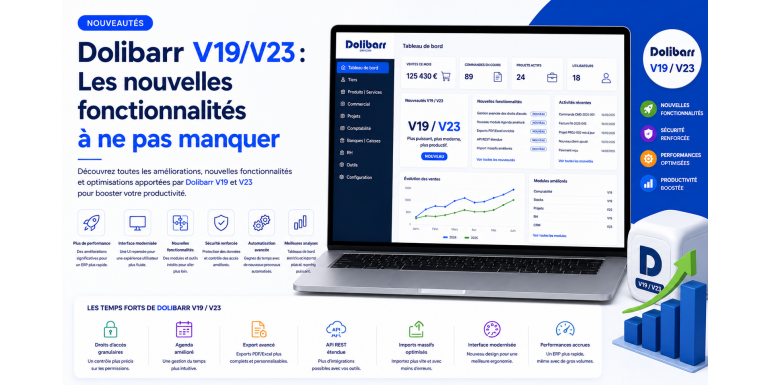
Since its first stable version, Dolibarr ERP/CRM has established itself as one of the most widely used open source management solutions in Europe. Its philosophy remains constant: a lightweight core, modular logic, and a very active community. But the pace of innovation has clearly accelerated over the past two years. Between version 19 and version 23, Dolibarr has undergone a true transformation: interface modernization, REST API enrichment, compliance with European e-invoicing, gradual integration of artificial intelligence, and overhaul of several major business modules.
For companies running Dolibarr in production, staying up to date is no longer optional: it is a lever for performance and compliance. In this comprehensive guide, NEXT GESTION presents version by version the must-not-miss new features, their concrete benefits for your operations, and migration best practices. Whether you are still on V18 or already on V22, this article will help you identify the changes that justify an upgrade in your context.
Table of Contents
- Why stay up to date with Dolibarr?
- The Dolibarr version lifecycle
- Dolibarr V19: modernization and industrialization
- Dolibarr V20: API openness and compliance
- Dolibarr V21: ergonomics and productivity
- Dolibarr V22: performance, AI, and automation
- Dolibarr V23: the maturity of a modern ERP
- E-invoicing: a major recurring theme
- The evolution of the REST API and integrations
- Security, in continuous improvement
- Transformed user experience
- Enriched business modules
- Performance and scalability
- Compatibility, dependencies, and environments
- How to plan your migration
- Conclusion: leveraging the new versions
- FAQ
1. Why stay up to date with Dolibarr?
Many companies still use Dolibarr V14, V15, or V16. These versions do their job, but now lag significantly. Staying up to date offers four major benefits.
First, security. Each new version includes vulnerability fixes, sometimes critical. A version that is no longer maintained no longer receives these fixes and exposes the company to growing risks.
Then, regulatory compliance. E-invoicing in France, Italy, Germany, Spain, or Belgium is evolving rapidly. Only recent versions integrate the Factur-X, Peppol BIS, FatturaPA, XRechnung formats and the connectors to official platforms.
Then, productivity. Interface improvements, data entry shortcuts, automations, and new control views save your teams precious time.
Finally, sustainability. A Dolibarr kept up to date integrates better with modern ecosystems (e-commerce, payment, AI, business intelligence) and remains attractive for new modules from the Dolistore.
2. The Dolibarr version lifecycle
Dolibarr follows a six-month version cycle. A major version releases on average every six months, and each version is generally maintained for 18 to 24 months after release. Beyond that, it reaches end of life and no longer receives fixes.
Concretely, in May 2026:
- Versions V18 and earlier are end of life and should no longer be used in production.
- Versions V19 and V20 are still maintained but in reduced support phase.
- Versions V21 to V23 constitute the active support zone.
- V23 represents the state of the art at the time of writing this guide.
Before planning an update, always verify the end-of-life date of your current version and the target version. The golden rule: do not skip more than two major versions at once to limit the risk of regression.
3. Dolibarr V19: modernization and industrialization
V19 marked an important milestone by consolidating Dolibarr's technical foundation and laying the groundwork for the major changes to come.
BOM and MRP module overhaul
The Bill of Materials (BOM) module, which manages production bills of materials, has been significantly enriched. V19 introduces finer component management, production times, sub-assemblies, and indirect costs. Coupled with the MRP module, this evolution allows industrial companies to control their manufacturing orders, material consumption, and finished product valuation much more precisely.
Knowledge Management module
The arrival of a true knowledge management module facilitates the centralization of internal procedures, technical sheets, and product FAQs. Articulated with the Tickets module, this feature considerably improves customer support quality by putting the right answers within reach of teams.
E-commerce improvements
V19 strengthened connectivity with e-commerce platforms: better synchronization of product variants, more fluid marketplace management, and initial optimizations for high-volume stores.
Overall performance
SQL queries on the most loaded screens (order, invoice, and product lists) have been optimized, with notable load time gains on databases with more than 100,000 records.
Mobility
The interface continued its adaptation to mobile screens and tablets, improving readability, action button size, and load time on slower connections.
4. Dolibarr V20: API openness and compliance
V20 placed openness to external ecosystems at the heart of its priorities. It is a particularly appreciated version among integrators and connector publishers.
Enriched REST API
The REST API has been significantly expanded: new endpoints, better management of additional fields, more consistent returns, updated OpenAPI documentation. Several entities previously poorly exposed (supplier invoices, projects, calendar events, human resources) now benefit from full coverage. This work makes Dolibarr much simpler to connect to integration middleware or an e-commerce store.
First foundation for e-invoicing
V20 laid the foundations for European e-invoicing: native generation of the Factur-X format (PDF/A-3 with embedded CII XML), management of mandatory mentions, mapping to Peppol BIS schemas. Compliance with French and Italian obligations was particularly strengthened.
Strengthened authentication
Two-factor authentication (TOTP) was better integrated, and LDAP/Active Directory connectors were modernized. The SAML/OpenID Connect module, previously available only through the Dolistore, saw its reliability improve thanks to contributions from several user companies.
Improved document management (ECM)
The ECM module gains in ergonomics: online PDF preview, faster full-text search, finer management of permissions per folder. Attachments can be organized more efficiently and shared securely with external contacts.
Reporting
Reports (sales statistics, margins, profitability per customer) have been enriched and their display unified. CSV/Excel exports are faster and better preserve numeric and date formats.
5. Dolibarr V21: ergonomics and productivity
V21 focused heavily on user experience and daily productivity.
Dashboard redesign
The home dashboard has been redesigned. Key indicators are better highlighted, widgets are more configurable, and it becomes possible to customize the view by user profile. A salesperson does not see the same dashboard as an accountant, and each can adapt their own.
Improved global search
The universal search bar gains in relevance and speed. It offers categorized results (third parties, invoices, orders, products, contacts) with highlighting of matches. Users can now access any Dolibarr entity in seconds from any screen.
Quick entry and keyboard shortcuts
Several keyboard shortcuts have been added to the most used screens: creating a quote, validating an order, navigating between tabs of a third-party record. Power users will particularly appreciate this.
Enriched CRM module
The CRM module has been upgraded: more visual opportunity pipeline, customizable stage management, statistics per salesperson, revenue forecasts. Coupled with the Calendar and Email modules, it allows better tracking of commercial actions.
Real-time notifications
Internal notifications (mention in a note, task assignment, workflow validation) are now available in real time via a bell in the top banner. Users no longer need to refresh their screens to see their new assignments.
Document template improvements
ODT and PDF templates have been enriched: new more modern standard templates, improved support for barcodes and QR codes, better management of languages and currencies. Customization of official documents (invoices, quotes, purchase orders) is simpler.
6. Dolibarr V22: performance, AI, and automation
V22 marks a turning point by integrating the first artificial intelligence building blocks and pushing performance to a new level.
Artificial intelligence integration
Several AI assistants have appeared:
- Content generation: text suggestions for product descriptions, sales emails, terms and conditions.
- Document recognition (OCR): automatic extraction of data from a scanned supplier invoice (number, date, amounts, lines).
- Automatic categorization: classification of support tickets, sales opportunities, and accounting entries according to learned rules.
- Recommendations: suggestions for related products, alerts on atypical customer behavior, identification of invoices at risk of non-payment.
These functions rely on external models (OpenAI, Mistral, Anthropic, self-hosted models via Ollama) that you can choose according to your sovereignty constraints.
Database optimization
Several critical queries have been refactored and new indexes have been added. Large databases (several million lines of invoices, orders, or stock movements) benefit from performance gains of up to 50% on common operations.
Background task management
A true queueing system has been introduced to process long operations asynchronously (massive email sending, large report generation, e-commerce synchronization). User screens are no longer blocked and heavy tasks execute reliably, with automatic retry on failure.
Bidirectional webhooks
The Webhooks module becomes bidirectional: Dolibarr can now both receive and emit HTTP notifications. This evolution greatly simplifies real-time integrations with third-party tools (Slack, Microsoft Teams, marketing platforms, partner ERPs).
Dark mode
A dark theme option is now available for users who spend their days on Dolibarr. Beyond visual comfort, it is also an asset for concentration in low-light environments.
7. Dolibarr V23: the maturity of a modern ERP
V23 consolidates the developments of previous versions and brings several major new features that make it the most mature version to date.
Partner Dematerialization Platforms (PDP)
In anticipation of the French e-invoicing obligation, V23 integrates native connectors to the main approved Partner Dematerialization Platforms (PDPs). Your outgoing invoices are automatically transmitted in the legal format, and incoming invoices are retrieved without manual intervention. Lifecycle tracking (rejection, refusal, payment) is centralized in Dolibarr.
Visual workflows
A visual workflow editor now allows business processes to be created (hierarchical quote validation, expense report approval circuit, automatic ticket escalation) without touching the code. This is a major advance for companies with complex processes.
Major HR module improvement
The Human Resources module has been significantly enriched: annual reviews, training plans, skills tracking, finer leave management, HR dashboard. Without replacing a specialized HRIS, the Dolibarr module is now sufficient for structures of fewer than 200 employees.
Extended accounting module
V23 advances Dolibarr's accounting one notch: improved bank import (CFONB, MT940, OFX formats), AI-assisted bank reconciliation, generation of the French tax bundle, pre-filled VAT declaration, accounting exports for the main firm software (Sage, Cegid, ACD, Quadratus).
Steering dashboard
A new steering module offers strategic dashboards for management: gross margin per segment, order book evolution, cash flow forecasts, configurable KPIs. Management can finally obtain consolidated indicators without resorting to an external business intelligence tool.
Integrated generative AI
AI goes further than in V22: integrated conversational assistant to query your data ("Who are my top 10 customers in the last quarter?"), automatic generation of commercial proposals, drafting of personalized follow-up emails. These functions remain optional and configurable to respect data sovereignty.
Accessibility compliance
The interface progresses toward better compliance with accessibility standards (RGAA, WCAG 2.1 AA): improved contrasts, enhanced keyboard navigation, enriched ARIA labels. This evolution is essential for companies subject to accessibility obligations.
8. E-invoicing: a major recurring theme
Across the V19 → V23 cycle, e-invoicing has been one of the most important developments. Several milestones are worth noting.
The Factur-X format (PDF/A-3 enriched with CII XML) is now natively generated, in several profiles (BASIC, EN16931, EXTENDED). French companies can issue invoices compliant with the upcoming reform today.
The Peppol BIS 3.0 format is supported for B2B intra-community exchanges. Companies that sell in several European countries benefit from a single, recognized format.
For Italy, the FatturaPA format is integrated, with possible SDI connector via third-party modules. For Germany, the XRechnung format is supported for public markets. For Spain, the Facturae format is available.
Finally, V23 introduces connectivity with French PDPs, which will become mandatory for the majority of companies in the coming years. Anticipating this migration is a strategic priority.
9. The evolution of the REST API and integrations
Over the versions, Dolibarr's REST API has become a real asset. It now exposes:
- All business entities (third parties, contacts, products, orders, invoices, quotes, shipments, receptions, projects, tasks, events, leaves, expense reports).
- Stock management (movements, inventories, transfers).
- Payment management and bank reconciliations.
- Workflows and notifications.
- Custom modules via a simple extension mechanism.
Authentication has also been modernized: support for dedicated API keys, OAuth2 tokens for standardized integrations, and automatic rotation of secrets. The interactive documentation (Swagger/OpenAPI) allows any integrator to discover and test endpoints in minutes.
This openness is a key factor for modern ecosystems: e-commerce connectors, marketplaces, marketing tools, business intelligence, mobile business applications. It places Dolibarr at the same level as the most advanced proprietary ERPs on this criterion.
10. Security, in continuous improvement
Each version brings its share of security enhancements. Without going into technical detail, let us mention:
- The progressive hardening of anti-CSRF protections, now enabled by default at the strictest level.
- The improvement of HTTP security headers recommended by the browser.
- Strengthened encryption of stored passwords.
- Rotation of user sessions after privilege elevation.
- Improvement of sensitive access logging, useful in case of GDPR audit.
- Smoother integration of MFA, LDAP, and SSO mechanisms.
For companies subject to security obligations (ISO 27001, HDS, NIS2), these developments facilitate certification and renewal.
11. Transformed user experience
Beyond features, it is the overall experience that has evolved. A few concrete examples:
- Customer records now present a 360° view with all documents, contacts, opportunities, and interaction history.
- Lists integrate quick filters, custom groupings, and view saves.
- Action buttons are better hierarchized and more accessible, reducing the number of clicks for common operations.
- Mobile navigation is now genuinely usable in the field (sales reps on the move, technicians on intervention).
- Standardization of screens between modules improves new user learning and considerably reduces training time.
These developments are not visible in release notes, but they make a major difference daily.
12. Enriched business modules
Several business modules received particular attention over the versions.
CRM / Sales Management module
Visual opportunity pipeline, sales forecasting, sales team management, prospect scoring, smoother integration with emails and calendar. Today's Dolibarr CRM competes with specialized SaaS tools at several tens of euros per user per month.
Production / MRP module
Multi-level bills of materials, manufacturing orders, work-in-progress valuation, capacity planning, lot and serial number traceability. Industrialists have a true integrated MRP.
Human Resources module
Management of collaborators, leaves, expense reports, interviews, training, skills. The HR module now addresses more structured organizations than just very small businesses.
Accounting module
Multi-country chart of accounts, automatic entries, bank reconciliation, VAT declaration, tax bundle, exports to firm software. Dolibarr can keep the accounting of a complete SME without external software.
Projects module
Project management, tasks, time spent, budget, profitability per project. Essential for service companies and agencies.
Tickets / Helpdesk module
Customer tickets, processing queue, knowledge base, support statistics. Coupled with a public FAQ module, it provides a complete support solution.
E-commerce module
Connectors to Prestashop, WooCommerce, Magento, Shopify improved at each version. Increasingly fluid synchronization of products, stocks, orders, and customers.
Point of Sale (POS) module
The POS module continues to progress: touch interface, multi-cash management, support for payment terminals, customer loyalty. Ideal for businesses that want to unify their back-office and front-office.
13. Performance and scalability
Recent versions have made great progress on performance. The size of supported databases without perceptible degradation has considerably increased: several million lines become manageable on reasonable hardware.
Several levers have been activated:
- Rewriting of the most expensive queries.
- Finer indexing of critical tables.
- Application cache for rarely changing data (VAT rates, payment methods, charts of accounts).
- Systematic pagination of long lists.
- Queues for heavy processing, which no longer impact user responsiveness.
- Optimization of JavaScript and CSS loading, for faster initial display.
For very large installations, multi-server architectures (frontend, database, queue) become genuinely viable and offer appreciable horizontal scalability.
14. Compatibility, dependencies, and environments
As Dolibarr evolves, its technical prerequisites also progress:
- PHP: V23 recommends PHP 8.2 or 8.3. Versions below PHP 8.1 are no longer officially supported.
- MySQL/MariaDB: modern versions recommended (MySQL 8.x or MariaDB 10.6+).
- Apache/Nginx: up-to-date versions to benefit from the latest TLS and HTTP/2 or HTTP/3 optimizations.
- Operating system: Debian 12, Ubuntu 22.04 LTS or newer, AlmaLinux 9, Rocky Linux 9 are the most common choices.
Before any migration, verify that your hosting supports the new dependencies. Otherwise, plan for the technical stack upgrade in parallel.
15. How to plan your migration
Migrating to a new major Dolibarr version is a project that requires preparation. Here are the steps recommended by NEXT GESTION.
First, audit the existing: current version, enabled modules, custom or third-party modules, volume, external integrations, business specifics.
Then, identify the target version. Will you go to the latest available version (V23 currently) or aim for an intermediate version if you are on a very old version? Multi-version jumps are possible but multiply risks.
Prepare a pre-production platform identical to production. This is where the actual migration will be tested. No risk should be taken in production.
Back up before any operation: database, files, configuration. Test the restoration of this backup in an isolated environment.
Test the version upgrade on pre-production: verify that all your custom modules work, that your external integrations (e-commerce, banking, payment) remain stable, that reports and exports produce the same results.
Train users on the main visible new features. Interface developments and new shortcuts deserve a short presentation session.
Plan the switchover during a low-activity time slot (weekend, evening). Prepare a rollback plan in case of major blockage.
Monitor the first days of operation: performance, errors in logs, user feedback. It is in the first week that any problems are revealed.
NEXT GESTION regularly accompanies companies on these migrations, ensuring both technical mastery and change management support.
16. Conclusion: leveraging the new versions
From Dolibarr V19 to V23, the evolution is spectacular: a modernized interface, an enterprise-class REST API, native integration of European e-invoicing, relevant AI assistants, business modules that compete with specialized SaaS solutions, and performance worthy of large installations. For companies running Dolibarr in production, staying up to date is now a competitive advantage as much as a compliance obligation.
At NEXT GESTION, we accompany companies throughout the lifecycle of their Dolibarr: version audit, migration planning, deployment, team training, securing, and continuous optimization. Our managed hosting offer integrates regular updates in a controlled cycle, freeing you from this concern.
Want to prepare your migration to Dolibarr V23? Contact us at contact@nextgestion.com for a free audit. We will study your current version, your modules, your integrations, and propose the most suitable migration plan.
17. FAQ: Dolibarr V19 to V23
What is the most recent Dolibarr version? At the time of writing (May 2026), V23 is the most recent stable version. Always check the latest available version on the official site before a migration.
How long is a Dolibarr version maintained? About 18 to 24 months. Beyond that, the version reaches end of life and no longer receives security fixes.
Can multiple versions be skipped during a migration? Technically yes, but it is risky. We recommend not skipping more than two major versions at once and proceeding in stages if you are on a very old version.
Will my custom modules be compatible? Not always. Modules developed for an old version may require adaptations to work on a recent version. Plan this work in your schedule.
Does V23 natively support French e-invoicing? Yes, with connectors to approved PDPs. This prepares you for the French e-invoicing obligation.
How much does a Dolibarr migration cost? It depends on your starting version, volume, number of custom modules, and integrations. Expect a few days to several weeks depending on complexity.
Should I migrate immediately to the latest version? Not necessarily. Versions are stable after a few months of community feedback. A wait of 2 to 4 months after a major version release is often prudent, except for specific needs.
How can I be sure my migration will not lose data? By fully testing on a pre-production environment with a copy of your real database, and by backing up before each operation in production. Support from a Dolibarr expert considerably reduces risks.
Article written by NEXT GESTION, expert in Dolibarr ERP/CRM integration and consulting. To prepare your migration or audit your instance, contact us at contact@nextgestion.com.