
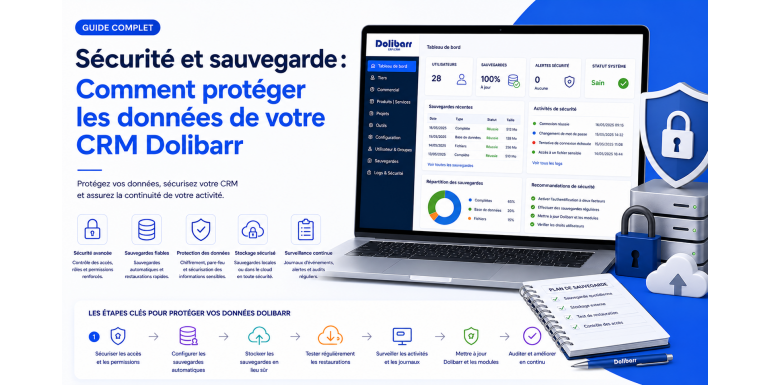
Your Dolibarr CRM undoubtedly contains the most valuable informational capital of your business: customer records, order history, supplier contracts, invoices, accounting data, and even banking information. A security breach, database corruption, or simply a missed backup can lead to disaster: financial losses, reputational damage, GDPR penalties, or even business shutdown.
Yet many companies still underestimate this critical dimension. In this comprehensive functional guide, NEXT GESTION provides all the best practices to sustainably secure your Dolibarr instance and guarantee the continuity of your data. We will cover both perimeter security (server, network) and application security (Dolibarr, database), as well as backup and disaster recovery strategies aligned with state-of-the-art standards, while remaining business- and decision-oriented.
Table of Contents
- Why is Dolibarr security strategic?
- Understanding Dolibarr's architecture
- Operating system hardening
- Web server hardening
- Setting up HTTPS and SSL/TLS certificates
- Securing the database
- Secure application environment configuration
- Application security in Dolibarr
- Strong authentication: 2FA, LDAP, SSO
- Database backup
- File and document backup
- The 3-2-1 golden rule and offsite storage
- Restore testing and disaster recovery plan
- Logging, monitoring, and incident detection
- GDPR compliance and legal obligations
- Critical mistakes to avoid
- Conclusion: adopting a proactive posture
1. Why is Dolibarr security strategic?
As a web-based ERP/CRM accessed through a browser, Dolibarr is by nature exposed to all web threats: brute-force attacks, SQL injections, cross-site scripting (XSS), data exfiltration, ransomware, etc. To this we must add internal risks: human error, accidental deletions, hardware or software failures, and physical disasters (fire, water damage, theft).
The consequences of a compromise or data loss can be dramatic:
- Direct financial losses: inability to invoice, payment delays, contractual penalties.
- Reputational damage: loss of trust from customers and suppliers.
- GDPR fines: up to 4% of global turnover or €20 million.
- Business shutdown: according to several studies, 60% of SMEs hit by a major cyberattack go bankrupt within 6 months.
Securing Dolibarr is therefore not optional, it is a strategic and legal obligation.
2. Understanding Dolibarr's architecture
Before securing, you must understand. Dolibarr relies on a classic software stack composed of four layers: a Linux operating system (Debian, Ubuntu, RHEL, AlmaLinux), a web server (Apache or Nginx), a relational database (MySQL, MariaDB, or PostgreSQL), and a PHP runtime environment. Each of these layers must be secured individually because the compromise of just one can be enough to jeopardize the whole.
Three storage zones must be protected as a priority:
- The database: it contains all your business data (customers, products, orders, invoices, accounting).
- The documents directory: it contains files generated by Dolibarr (PDF invoices, supporting documents, electronic document management, product photos) as well as temporary files.
- The source code and configuration: it contains the Dolibarr code, your custom modules, and especially the configuration file holding the database connection credentials.
The configuration file deserves special attention: its leak amounts to compromising the entire system. It must therefore be protected by strict permissions and placed in a directory not accessible from the web.
3. Operating system hardening
Security starts at the operating system level. Here are the essential hardening actions on a Linux server hosting Dolibarr.
Systematic updates
Security patches must be applied without delay. Configure an automatic update mechanism for critical packages (Ubuntu and Debian have a dedicated service, as do RHEL and AlmaLinux). At minimum once a week, manually verify that updates have been properly applied.
Firewall and open ports
The server should expose only the strictly necessary ports: HTTPS (443), possibly HTTP (80) for redirection to HTTPS, and SSH (22) restricted to administrators' IP addresses only. All other ports are closed. A software firewall like UFW or firewalld makes this easy to enforce.
SSH access itself must be hardened: cryptographic key-only authentication (no passwords), disabling direct root login, possibly changing the default port, and restricting to trusted IP addresses.
Brute-force attack protection
An intrusion detection tool like Fail2ban continuously analyzes connection logs and automatically bans IP addresses that multiply failed attempts (on SSH, on the Dolibarr login form, on APIs). Configure several dedicated "jails" to cover all entry points.
Account and privilege management
Apply the principle of least privilege: no direct root login, named user accounts with sudo for administration operations, deactivation of unnecessary system accounts. Each sensitive action must be traceable to an identified user.
Process compartmentalization
Enable SELinux (on RHEL/AlmaLinux) or AppArmor (on Debian/Ubuntu) in strict ("enforcing") mode. These mechanisms compartmentalize processes and considerably limit the impact of a compromise: even if an attacker takes control of a web process, they will not be able to access system resources not explicitly authorized to them.
4. Web server hardening
The web server is Dolibarr's entry point. Its configuration must be rigorous.
Hide sensitive information
By default, Apache and Nginx expose their version in HTTP headers and error pages. This information makes the attackers' job easier by allowing them to target known vulnerabilities. Always disable the display of server version and installed modules.
Enable HTTP security headers
Several modern HTTP headers significantly improve application security:
- HSTS forces the browser to use HTTPS exclusively.
- X-Content-Type-Options prevents incorrect interpretation of file types.
- X-Frame-Options protects against clickjacking attacks.
- Content-Security-Policy restricts sources of scripts, styles, and images, thus preventing many XSS attacks.
- Referrer-Policy controls information transmitted during navigation.
- Permissions-Policy disables unused sensitive features (camera, microphone, geolocation).
Enabling these headers is an essential quick win.
Sensitive directory protection
The documents directory and configuration directory should never be directly accessible from the web. Best practice is to place them outside the web root: thus, even in case of misconfiguration, they remain invisible from the outside. If this is not possible, configure the web server to explicitly block their access.
Installer removal
Once Dolibarr is installed, the installation directory must be removed or blocked. Without this precaution, an attacker could relaunch installation and overwrite your database. Also create a lock file preventing any unintended reinstallation.
Web application firewall (WAF)
To go further, deploy an application firewall like ModSecurity combined with the OWASP Core Rule Set. This device inspects every HTTP request and blocks suspicious behavior (SQL injections, XSS, vulnerability scans). For the most exposed sites, a cloud WAF service like Cloudflare offers complementary protection against DDoS attacks.
5. Setting up HTTPS and SSL/TLS certificates
No production Dolibarr installation should run over HTTP. HTTPS is mandatory to encrypt traffic and protect sessions, passwords, customer data, and exchanged documents.
Obtaining a certificate
Obtaining an SSL/TLS certificate is now simple and free thanks to Let's Encrypt, a certification authority recognized by all browsers. A tool like Certbot automates the issuance, installation, and renewal of the certificate every 90 days. Regularly verify that automatic renewal is working to avoid an unexpected expiration.
For organizations that wish, paid certificates (DV, OV, or EV) remain available from commercial authorities and can be relevant in certain contexts (extended validation displayed in the browser).
Modern TLS configuration
Disable obsolete protocols (SSL, TLS 1.0, TLS 1.1) which present known vulnerabilities. Allow only TLS 1.2 and TLS 1.3. Select modern cryptographic suites (ECDHE with AES-GCM or ChaCha20) and disable weak algorithms. Test your configuration on SSL Labs (ssllabs.com/ssltest) and aim for an A+ rating.
Force HTTP to HTTPS redirection
Any HTTP request must be automatically redirected to HTTPS. This rule is the first line of defense: it ensures that no traffic transits in clear.
HSTS and HSTS preload
HSTS (HTTP Strict Transport Security) forces the browser to use HTTPS exclusively for your domain, even if the user types the URL without specifying the protocol. Once the value is stable, you can submit your domain to the HSTS Preload List, which embeds the rule directly in browsers and blocks any HTTP connection, including the first one.
6. Securing the database
The database is Dolibarr's treasure. Its protection is critical.
Secure initialization
At installation, run the secure initialization script provided by MySQL or MariaDB. It allows you to set a strong password for the administration account, remove anonymous users, prevent remote login for privileged accounts, and remove test databases.
Dedicated Dolibarr account
Never use the database administration account for Dolibarr. Create a dedicated account with strictly necessary privileges: read, write, table structure modification only on the Dolibarr database, no access to other databases or global administration rights. This compartmentalization considerably limits the impact of a possible application compromise.
Network listening restriction
If the database is on the same server as Dolibarr, configure it to listen only on the local interface (loopback). No remote connection is then possible. If the database is offloaded to another server, imperatively use an encrypted channel: VPN, SSH tunnel, or native TLS on the database.
Encryption at rest
For the most sensitive data, enable transparent data encryption at rest (TDE) at the database engine level. This protects your data files in case of physical disk theft or compromise of the raw backup. Encryption keys must be stored on a separate medium, ideally in a digital safe.
Access logging
Enable the database audit log. It records all connections and sensitive queries, allowing post-event detection of an intrusion or abnormal usage. These logs must themselves be protected and stored securely.
7. Secure application environment configuration
The PHP environment that runs Dolibarr must be specifically hardened.
Disabling dangerous functions
PHP offers many functions that can be misused by an attacker (system command execution, arbitrary file reading, etc.). Explicitly disable those not necessary to Dolibarr. Beware however: some Dolibarr modules (export, mailing, OCR) may need them. Always test in pre-production before going to production.
Hide errors
In production, never display PHP errors to the visitor. They could reveal sensitive information (paths, credentials, SQL queries). Errors must be logged in a journal accessible only to administrators.
Secure sessions
Session cookies must be marked as HttpOnly (inaccessible in JavaScript), Secure (transmitted only over HTTPS), and SameSite Strict (not sent by third-party sites). These flags prevent many session theft attacks. The session lifetime must also be limited (30 minutes of inactivity maximum).
Reasonable limits
Configure suitable resource limits: maximum upload size, maximum execution time, allocated memory. These parameters protect against both intentional abuse (denial of service) and accidental bugs.
Cache and performance
Enable OPcache to cache compiled PHP code. This improves performance, reduces server load, and limits the exploitable window during a resource exhaustion attack.
8. Application security in Dolibarr
Dolibarr natively offers several hardening mechanisms to enable.
Global security parameters
In the security configuration menu, several levers should be activated:
- Session timeout: maximum 30 minutes, ideally 15 for administrator accounts.
- Password policy: minimum length of 12 characters, complexity requirement (uppercase, lowercase, numbers, special characters), expiration every 90 days, prohibition of reusing old passwords.
- Anti-CSRF protection: enabled by default, imperative to keep and extend to the highest level to require a token on all sensitive forms.
- Automatic locking of accounts after several failed attempts (5 by default), with manual or temporized unlocking.
Granular permissions
Dolibarr offers a very fine permission system per module and per action. Apply the principle of least privilege: each user has only the rights strictly necessary to their function. A salesperson does not have access to accounting, an accountant does not have access to HR data, etc. This discipline limits internal data leaks and the impact of an account compromise.
Multi-company and partitioning
If you manage multiple legal entities with the multi-company module, ensure strict data isolation between companies. Configure user groups to prevent any lateral leak, and regularly audit cross-accesses.
Disabling unused modules
Each enabled module increases the attack surface. Conduct a regular audit and disable everything no longer used. The less active code there is, the fewer potential vulnerabilities.
Force HTTPS at application level
Beyond server redirection, Dolibarr can be configured to refuse non-secure connections at the application level. This double protection guarantees that no direct HTTP access can compromise sessions.
9. Strong authentication: 2FA, LDAP, SSO
Passwords alone are no longer sufficient. Several authentication strengthening options are available.
Two-factor authentication (2FA / MFA)
Enabling two-factor authentication is now the minimum for sensitive accounts (administrators, accountants, executives). It adds a second verification factor, generally a temporary code generated by a mobile app (Google Authenticator, Authy, Microsoft Authenticator, FreeOTP). Even if a password is compromised, the attacker cannot connect without physical access to the user's phone. A dedicated module, available on the Dolistore, allows simple activation.
LDAP / Active Directory authentication
For companies with a centralized directory, Dolibarr offers a native connector to LDAP/Active Directory. Users connect to Dolibarr with their corporate credentials, centrally managed by IT. Advantages: automatic application of corporate password policies, immediate deactivation of the Dolibarr account when an employee leaves, unified traceability.
Single Sign-On (SSO) via SAML or OpenID Connect
To go further, modules connect Dolibarr to an identity provider (Keycloak, Azure AD, Okta, Google Workspace) via SAML 2.0 or OpenID Connect standards. Your users connect once to access all their tools, MFA is centralized and uniformly applied, compliance is simplified. This is the best practice for organizations with multiple business applications.
10. Database backup
Regular database backup is the most critical operation.
Frequency and retention
At minimum, schedule a daily complete backup, executed during a low-activity period (generally at night). For critical environments, supplement with more frequent incremental backups (every hour, or even continuously). Recommended retention: 30 days for operational backups, 1 to 10 years for archived backups depending on your legal obligations.
Backup methods
Several approaches coexist:
- Logical backup (SQL export): produces a readable text file, ideal for small and medium databases. Advantages: portability, possibility of partial restoration. Limits: slow beyond a few gigabytes.
- Hot physical backup: copies the binary files of the database without service interruption. Recommended tools: Mariabackup (MariaDB) or Percona XtraBackup (MySQL). Essential for large databases.
- Replication to a secondary server in real time, which can serve both as redundancy and as a target for backups (without impact on production).
- Snapshots at the storage system or virtual machine level.
Compression and encryption
All backups must be compressed (size reduction) then encrypted (leak protection). Encryption ideally uses an asymmetric key (GPG for example) whose private key is stored separately, in a digital safe. Systematically verify backup integrity with a cryptographic fingerprint (checksum).
Point-in-time recovery
Enable binary logs on the database engine. They allow point-in-time recovery (PITR), for example "bring the database back to the state of 2:32 PM yesterday, just before the error". This capability is precious for recovering an accidental deletion without losing all subsequent data.
11. File and document backup
The database alone is not enough: the documents directory contains invoice PDFs, accounting supporting documents, ECM files, and product photos. Its loss would be just as serious as a database loss.
Incremental backups
For files, prefer incremental backups with versioning: only modified files are backed up at each cycle, and each version remains accessible. This approach allows keeping many versions without exploding disk space, thanks to hard link or deduplication mechanisms.
Source code and configuration
Don't forget to also back up the source code (custom modules, overrides) and the configuration file. Without them, a database restore is not enough to restart the system.
Automation and scheduling
All backups must be automated and scheduled via a scheduler (cron, systemd timer, Windows scheduler…). Manual execution is to be avoided: it always ends up being forgotten. Set up a dedicated technical account for these operations, with strictly necessary permissions.
Backup monitoring
Each execution must produce a report indicating its status (success, failure, duration, size). In case of failure, an alert must be sent to the administrator. A backup whose proper execution is unknown is not a reliable backup.
12. The 3-2-1 golden rule and offsite storage
The 3-2-1 backup rule is universally recognized:
- 3 copies of the data (the original + two backups).
- on 2 different media (local disk + NAS, for example).
- with 1 offsite copy (cloud, remote datacenter, digital safe).
Why this rule?
This rule protects against the main disaster scenarios. A single copy can be lost in a disk crash. Two copies on the same server are lost in case of fire or ransomware. An offsite copy ensures continuity even in case of physical destruction of the main site.
Encrypted cloud sync
Use a sovereign cloud provider (OVHcloud, Scaleway, Outscale, Infomaniak) or an object storage service (S3, Backblaze B2, Wasabi) to host the offsite copy. Data must be encrypted on the client side before sending: thus, even the cloud provider cannot read it. Tools like rclone or restic automate this encrypted synchronization.
Immutable storage (Object Lock / WORM)
Enable immutable mode (WORM, Write Once Read Many) on your cloud storage: backups cannot be modified or deleted during the defined retention period, even by an administrator. This is your last line of defense against modern ransomware that now seeks to destroy backups before encrypting production.
Air gap for critical data
For the most sensitive data, keep a copy on physically disconnected media (external disk or LTO tape stored in a safe). This "offline" copy cannot be reached by any computer attack. Its manual rotation (weekly or monthly) adds an ultimate layer of security.
13. Restore testing and disaster recovery plan
Test your backups
An untested backup is not a backup.
This is one of the most violated rules in practice. Many companies discover that their backups were corrupted or incomplete the day they need them. Schedule quarterly restore tests on a pre-production server: complete database restoration, document restoration, data integrity verification, and application consistency. Document the results and any problems encountered.
Disaster Recovery Plan (DRP)
Document a disaster recovery plan specifying:
- The RPO (Recovery Point Objective): maximum tolerable data loss. For example, "we accept losing at most 4 hours of data".
- The RTO (Recovery Time Objective): maximum service interruption duration. For example, "we must be operational again in 2 hours".
- Roles and responsibilities in case of disaster: who decides, who executes, who communicates to customers.
- Step-by-step procedures for restoration, sufficiently detailed for a replacement administrator to execute them.
- Contact details of providers (host, Dolibarr integrator, accountant) accessible even offline.
Failover to backup server
For critical environments, set up a synchronized backup server in near-real time via database replication and continuous file synchronization. In case of disaster, failover can occur in minutes through DNS redirection or automatic load balancer failover. This high-availability architecture has become accessible to SME budgets.
Crisis exercises
Once a year, organize a crisis exercise simulating a major disaster. All concerned teams (technical, business, management) participate and apply the plan. These exercises reveal shortcomings, false assumptions, and improvement opportunities. Better to discover a problem during an exercise than in a real situation.
14. Logging, monitoring, and incident detection
Log centralization
Centralize all logs (web server, database, PHP environment, Dolibarr, fail2ban) in a dedicated tool: Graylog, ELK (Elasticsearch + Logstash + Kibana), or Loki + Grafana. This centralization allows correlating events and detecting anomalies invisible to the naked eye (multiple failed connections followed by a successful connection, unusual queries, traffic spikes).
Service monitoring
Continuously monitor availability and performance with Zabbix, Prometheus + Grafana, or Netdata. Key indicators to watch:
- CPU, memory, disk I/O load.
- Dolibarr page response time.
- Backup volume and success/failure of scheduled tasks.
- Remaining disk space (alert at 80% occupancy).
- SSL certificate validity (alert 30 days before expiration).
File intrusion detection (HIDS)
Deploy a file intrusion detection tool like AIDE, Tripwire, or Wazuh. It regularly calculates the fingerprint of all system and application files and alerts in case of unexpected modification. It is the most effective way to detect the installation of a backdoor ("webshell") by an attacker.
Alerting and on-call
Configure alerts by email, Slack, Microsoft Teams, or on-call solutions (PagerDuty, Opsgenie). Define criticality thresholds: information, warning, critical. An intrusion detected early is a contained intrusion; an intrusion detected late can cost a lot.
15. GDPR compliance and legal obligations
If you process personal data in Dolibarr (customers, prospects, employees), you are subject to GDPR. And technical security is an explicit requirement of this regulation.
Required technical measures
GDPR requires technical and organizational measures "appropriate" to the risk:
- Encryption of data at rest and in transit.
- Role-based access control, with the principle of least privilege.
- Logging of access to personal data.
- Pseudonymization of data where possible.
- Encrypted backups stored securely.
- Regular testing of the effectiveness of security measures.
Data subject rights
Dolibarr has native functions to respond to GDPR rights of data subjects:
- Right of access: export of all data of a contact in a readable format.
- Right to portability: structured export (CSV, JSON) transmissible to another data controller.
- Right to erasure: anonymization or deletion of a third party, with operation traceability.
- Right to rectification: simple modification of erroneous data.
- Right to restriction: deactivation of records while keeping history for legal reasons.
Processing register and impact assessment
Maintain a processing register documenting Dolibarr usage: purposes (commercial management, accounting, HR), categories of data collected, retention periods, recipients, security measures. For high-risk processing (large volumes, sensitive data), conduct a Data Protection Impact Assessment (DPIA) before going to production.
Sovereign hosting
For sensitive data, prefer European hosting (OVHcloud, Scaleway, Outscale, Infomaniak) to avoid conflicts with the US Cloud Act and to guarantee data sovereignty. A host certified HDS (Health Data Hosting) or SecNumCloud offers additional guarantees for regulated sectors.
Breach notification
In case of personal data breach, you have 72 hours to notify the supervisory authority (CNIL in France) and, if the risk is high, to inform the data subjects concerned. Prepare communication templates and the internal procedure in advance to respect this deadline.
16. Critical mistakes to avoid
Our experience as Dolibarr integrators has allowed us to identify recurring pitfalls:
- Never test restores. On D-day, backups turn out to be corrupted or incomplete.
- Storing backups on the same server as production. Ransomware or a physical disaster will encrypt and destroy everything at once.
- Leaving the installation directory accessible. An attacker can then reinstall Dolibarr and overwrite your database.
- Using the admin account daily. In case of compromise, the attacker has all powers. Reserve this account for explicit administration operations.
- Neglecting updates. Dolibarr versions regularly fix critical vulnerabilities. Test in pre-production then apply quickly.
- Weak or shared passwords. Enforce a password manager like Bitwarden, KeePass, or 1Password for the entire team.
- Ignoring logs. They often contain the first signs of an intrusion. Without active monitoring, the alert arrives too late.
- Exposing the database on the Internet. Systematically restrict access to authorized IPs and go through a VPN.
- Confusing redundancy and backup. A high-availability cluster does not protect against accidental deletion or ransomware.
- Not training users. The majority of compromises start with successful phishing. Awareness is as important as technique.
17. Conclusion: adopting a proactive posture
The security and backup of your Dolibarr CRM are not one-off projects but a continuous process. They rest on three inseparable pillars: prevention (hardening, updates, training), detection (monitoring, logging, audits), and reaction (backups, DRP, incident plan).
At NEXT GESTION, we support companies in the complete securing of their Dolibarr instance: technical and organizational audit, server hardening, automated encrypted backup setup, disaster recovery plan, GDPR compliance, and proactive infrastructure management. Our Dolibarr managed hosting offer natively integrates all the best practices described in this guide, allowing you to focus on your core business with peace of mind.
Want to audit your Dolibarr security? Contact NEXT GESTION for a free, personalized diagnosis. Better to prevent today than regret tomorrow.
FAQ: Dolibarr Security and Backup
How often should Dolibarr be backed up? At minimum, a complete daily backup of the database and documents, supplemented by hourly incremental backups for critical environments.
How long should backups be kept? At least 30 days for operational backups, and 1 to 10 years for archived backups (depending on your accounting and legal obligations).
Is Dolibarr's native backup module sufficient? It works for small instances but remains limited. For production, prefer a professional strategy with encryption and offsite storage.
How to protect against ransomware? Encrypted immutable backups (Object Lock), disconnected copy (air gap), generalized MFA, network segmentation, EDR on admin workstations, and team training.
Is Dolibarr GDPR compliant? Dolibarr provides the technical tools (encryption, access rights, export, anonymization), but compliance depends on your configuration, processes, and hosting.
Should I use managed hosting or self-host? Self-hosting remains possible if you have in-house skills. Otherwise, professional managed hosting offers a better security/cost ratio and frees up your teams.
Article written by NEXT GESTION, expert in Dolibarr ERP/CRM integration, security hardening, and managed hosting. For an audit or consulting, contact us at contact@nextgestion.com.