
1. Introduction
The manual installation of Dolibarr on Windows is an advanced approach that allows users to gain full control over their technical environment. Unlike automated solutions such as DoliWamp, this method requires the independent installation and configuration of key components such as Apache, PHP, and MariaDB.
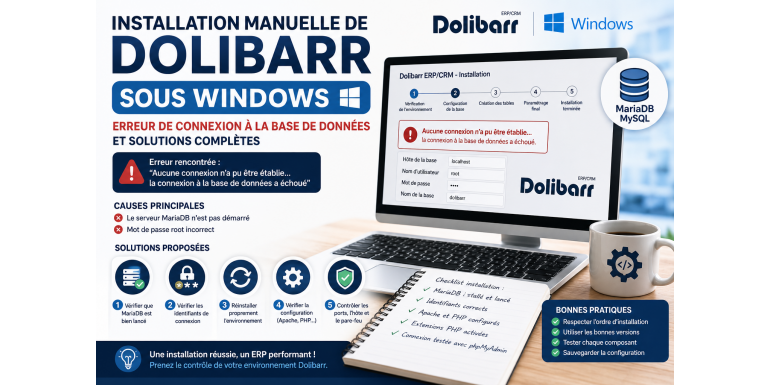
In the Dolibarr forum topic analyzed, a critical issue was reported by a user: the inability to connect to the database during installation. This type of error is common and completely blocks the process. This article provides a detailed analysis of this issue, along with the solutions mentioned in the forum and additional best practices.
2. Problem Context
The forum topic describes an installation performed by following a detailed guide that includes:
- Installation of MariaDB
- Installation of Apache
- Configuration of PHP
- Deployment of Dolibarr
The goal of this method is to offer greater control over software versions and a deeper understanding of the system.
However, during the database configuration step, the user encounters a blocking error.
3. Main Problem Encountered
The error message reported in the forum is as follows:
➡️ “No connection could be established… the database connection failed”
This error indicates that Dolibarr cannot communicate with the MariaDB/MySQL server.
4. Technical Analysis of the Problem
According to responses in the forum, two main causes were identified:
4.1 MariaDB server not running
The database server is not active, so no connection can be established.
4.2 Incorrect root password
The credentials entered during configuration are incorrect.
These two causes represent the majority of installation failures.
5. Solution 1: Check that MariaDB is running
This is the first check to perform.
Recommended actions:
- Open Windows services
- Verify that MariaDB is running
- Restart the service if necessary
Without an active database, Dolibarr cannot function.
6. Solution 2: Verify database credentials
The forum clearly indicates that the root password is often incorrect.
Points to check:
- Username:
root - Correct password
- No typos or extra spaces
An incorrect password will immediately result in a connection failure.
7. Solution 3: Reinstall the environment cleanly
In the case studied, the user eventually solved the problem by:
➡️ completely uninstalling and reinstalling the environment
This helped automatically fix:
- configuration errors
- version conflicts
- incorrect settings
8. Other Possible Causes
In addition to the forum solutions, several other technical causes are commonly known in this type of installation:
8.1 Incorrect MySQL port
The default port is 3306, but it may be changed.
8.2 Incorrect host
localhost- or
127.0.0.1
8.3 Windows firewall
It may block the connection to the MySQL server.
9. Importance of Proper Environment Configuration
Manual installation requires that all components be correctly configured:
- Apache must be running
- PHP must be compatible
- MariaDB must be operational
- Required PHP extensions must be enabled
This method allows users to select recent versions and better understand the system architecture.
10. Advantages of Manual Installation
Despite the challenges, this approach offers several advantages:
- full system control
- better performance
- advanced customization
- deeper technical understanding
It is particularly suitable for developers and system integrators.
11. Limitations and Challenges
However, it also comes with risks:
- configuration errors
- version incompatibilities
- technical complexity
- longer installation time
This is why it is recommended mainly for users with technical knowledge.
12. Recommended Alternative: DoliWamp
For beginners, the recommended solution is:
➡️ DoliWamp (automatic installation)
This tool installs automatically:
- Apache
- PHP
- MySQL
- Dolibarr
It avoids most of the errors encountered during manual installation.
13. Best Practices to Avoid This Issue
To prevent database connection errors:
- ensure MariaDB is running
- test the connection using phpMyAdmin
- use correct credentials
- follow the proper installation order
- avoid version conflicts
14. Impact for Users
An error at this stage can:
- completely block installation
- discourage the user
- delay project progress
On the other hand, a successful installation enables:
- fast deployment
- stable testing environment
- improved productivity
15. Conclusion
The issue reported in the Dolibarr forum—database connection failure—is mainly caused by two simple factors: a non-running MariaDB server or an incorrect root password. The solutions provided in the discussion demonstrate that basic checks or a clean reinstallation can quickly resolve the problem. However, this situation highlights the complexity of manual installation on Windows. In 2026, mastering these technical aspects remains essential for fully leveraging Dolibarr, especially in professional or development environments.