
In an economic landscape where digital transformation is no longer an option but a vital necessity, Small and Medium-sized Enterprises (SMEs) face a major challenge: how to centralize operations without breaking the bank. Between industry giants like SAP or Salesforce—often too complex and expensive—and the makeshift use of Excel spreadsheets, there is a powerful middle ground.
Dolibarr ERP & CRM has established itself as one of the most popular Open Source business management solutions in the world. But is it truly the ultimate tool to propel your business forward? This comprehensive guide breaks down everything you need to know about Dolibarr in 2026.
1. What is Dolibarr ERP/CRM?
The Philosophy of Simplicity
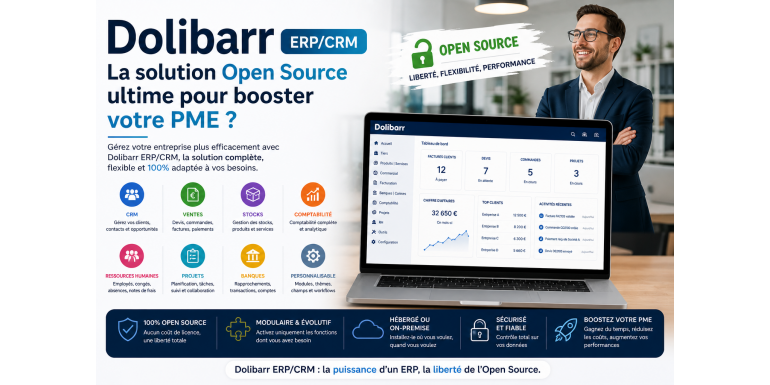
Dolibarr is a modular Integrated Management Software (ERP) and Customer Relationship Management (CRM) suite. Unlike monolithic solutions, it is built on a "SaaS-like" principle within an Open Source framework: you only activate the specific features your business actually needs.
A Robust Community Project
Developed in PHP and supported by a highly active international community, Dolibarr is free in its standard version (GNU GPL license). This means the code is open, auditable, and you remain the sole owner of your data.
2. Key Features: 360° Coverage
To understand Dolibarr’s impact on an SME, one must dive into its functional richness.
Sales Management (CRM)
The heart of Dolibarr lies in its ability to track a customer’s lifecycle:
-
Third-party Management: Centralize your customers, prospects, and suppliers.
-
Quotes and Commercial Proposals: Create professional PDF documents in just a few clicks.
-
Opportunity Tracking: Visualize your sales funnel using a built-in Kanban view.
Supply Chain Management (ERP)
-
Inventory Management: Real-time tracking of stock movements, multi-warehouse management, and low-stock alerts.
-
Supplier Orders: Automate your purchasing processes to prevent shortages.
-
Shipping: Manage delivery notes and integrate with shipping carriers.
Finance and Accounting
Dolibarr is more than just a billing tool; it is a true financial ally:
-
Invoicing and Credit Notes: Manage payments, automatic reminders, and SEPA direct debits.
-
Double-Entry Accounting: Export your ledgers directly to your accountant’s software (Sage, QuickBooks, Xero, etc.).
-
Expense Reports: Digitalize employee receipts and streamline reimbursement.
Project Management and HR
-
Gantt Charts: Plan projects and track time spent by each team member.
-
Leaves and Absences: A simple validation workflow for time-off requests.
-
Recruitment: Track job applications directly within the platform.
3. Why Choose Dolibarr Over Other ERPs?
Unbeatable Total Cost of Ownership (TCO)
Dolibarr’s primary financial advantage isn't just the lack of license fees. It lies in the hosting flexibility. You can install it on an internal server, a basic shared host, or opt for a managed Cloud offer (like DoliCloud).
Modularity: The Anti-Bloatware
Many ERPs fail because they are too "heavy." With Dolibarr, the interface remains clean. If you don't manage physical stock, simply disable the module. The tool grows organically with your company.
Technological Independence
Using Dolibarr ensures you are never "locked in" by a single vendor. Your data resides in a standard database (MySQL/MariaDB), and you can switch support providers or hosts at any time.
4. Dolibarr vs. Competition: 2026 Comparison
| Feature | Dolibarr | Odoo (Community) | Salesforce | SAP Business One |
| License | Free (Open Source) | Free / Paid | Paid (High) | Paid (Very High) |
| Ease of Setup | Very Simple | Complex | SaaS Only | Very Complex |
| Modularity | Excellent | Very Good | CRM Focused | Rigid |
| Speed/Performance | Lightweight | Resource Intensive | Excellent | Heavy |
Verdict: While Odoo may offer a more "modern" UI, Dolibarr wins on stability, resource efficiency, and the genuine cost-free nature of its core modules.
5. How Does Dolibarr Actually Boost Productivity?
Centralization of Information
No more digging through emails to find a quote or an invoice. Everything is linked to the "Third Party." By opening a client file, you instantly see their order history, unpaid invoices, and active projects.
Automation of Repetitive Tasks
Thanks to document templates and automatic workflows (e.g., converting a quote into an order with one click), your teams save hours every week on administrative overhead.
Data-Driven Decision Making (Business Intelligence)
Integrated statistical reports allow you to immediately visualize your turnover, margins per product, and sales team efficiency.
6. The DoliStore Ecosystem: Infinite Extensions
A major strength of Dolibarr is the DoliStore, a marketplace featuring thousands of additional modules developed by expert partners.
-
E-commerce Connectors: Sync your sales from WooCommerce, Shopify, or PrestaShop directly into your ERP.
-
Online Payments: Integrate Stripe or PayPal into your invoices to get paid faster.
-
Electronic Signatures: Have your quotes legally signed online.
7. Points of Caution (Limits and Challenges)
No tool is perfect. To provide an honest analysis, here is what to watch out for:
-
User Interface (UI): It is functional and clean but may look slightly dated compared to "design-first" SaaS solutions.
-
Self-Hosting: If you choose to host Dolibarr yourself, you are responsible for security and backups. For an SME, using a certified partner is often a wiser move.
-
Accounting Configuration: While powerful, the accounting module requires rigorous setup to comply with specific local tax regulations.
8. Implementation Guide: Ensuring a Successful Rollout
Switching to an ERP is a company-wide project. Here is the roadmap:
-
Needs Audit: List your current processes (how do you sell? how do you store?).
-
Installation and Testing: Set up a test version to explore the modules.
-
Data Import: Clean your Excel files (customers, products) before importing them.
-
Training: An unmastered tool is a useless tool. Train your staff in small groups.
-
Professional Support: Don't hesitate to contact a "Dolibarr Preferred Partner" for custom development or complex configurations.
Conclusion: Is Dolibarr Right for You?
Dolibarr is more than just software; it’s a growth engine. For an SME looking to increase discipline, automate sales, and maintain total control over IT costs, it is arguably the most balanced Open Source solution on the market.
Its strength lies in its ability to be "small" when you start and "massive" as it supports your success. Whether you are a solopreneur or leading a company of 50+ employees, Dolibarr has the flexibility to become the nervous system of your business.
FAQ: Frequently Asked Questions
Is Dolibarr compliant with tax fraud laws?
Yes, Dolibarr offers data locking and logging modules that meet strict European and international requirements (such as the French anti-VAT fraud law).
Can I use Dolibarr on my smartphone?
The interface is fully responsive via a web browser. There are also third-party apps available on Android and iOS for specific tasks like time tracking or contact lookups.
What is the difference between Dolibarr and DoliCloud?
Dolibarr is the free software. DoliCloud is a paid hosting service that manages the software, backups, and updates for you, removing the technical burden.
Keywords: Dolibarr, SME ERP, Open Source CRM, Business Management, Invoicing Software, Inventory Management, Digital Transformation, DoliStore.