
1. Introduction
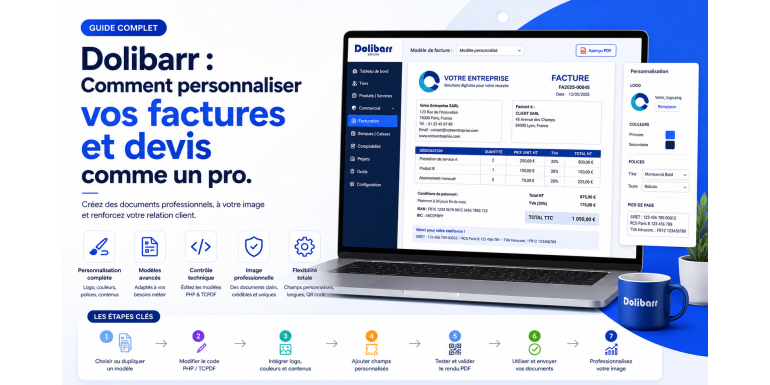
Customizing business documents is a key element for any company looking to strengthen its brand image and professionalize its client relationships. Invoices and quotes are not just administrative documents; they are also powerful communication tools. With Dolibarr ERP CRM, it is possible to deeply customize these documents to perfectly match your visual identity and business needs. In this detailed article, we will explore all the possibilities offered by Dolibarr to customize your invoices and quotes, with a strong focus on the technical aspects.
2. Importance of Customizing Business Documents
A well-designed invoice or quote inspires trust and credibility. Customization allows you to integrate your logo, colors, legal mentions, and commercial terms. It also improves readability and helps structure the information for the client. In a competitive environment, these details can make a significant difference.
3. Architecture of Document Templates in Dolibarr
Dolibarr uses a template system to generate PDF documents. These templates are generally PHP files located in the core/modules directory. Each type of document (invoice, quote, order) has its own templates. The most common templates are based on the TCPDF class, which allows the generation of dynamic PDFs.
4. Activating and Selecting a Document Template
Before customizing a document, it is necessary to select an active template. In Dolibarr, go to the configuration of the invoicing or proposal modules, then choose the desired template. Several standard templates are available, but they can be modified or replaced.
5. Understanding the Structure of a PDF Template
A PDF template in Dolibarr is a PHP file containing instructions for generating content. It uses TCPDF functions to position elements, define fonts, manage margins, and display data. The variables used come from Dolibarr objects such as $object, $soc, $conf, etc.
6. Duplicating an Existing Template
To avoid modifying native files, it is recommended to duplicate an existing template. Copy the template file into the custom/modules directory. Then rename it and modify the associated class. This ensures that your changes are preserved during updates.
7. Modifying the Header
The header is the first visible part of the document. You can include your logo, company name, and contact details. In the code, this is usually handled by a function like write_header. You can adjust X and Y positions, sizes, and fonts.
8. Customizing the Footer
The footer allows you to add information such as legal notices, bank details, or general terms. This section is often defined in a function like write_footer. You can insert text or graphical elements.
9. Managing Product and Service Lines
The central part of the document contains product or service lines. You can customize the displayed columns (description, quantity, price, VAT, total). This requires modifying the loop that processes the invoice or quote lines.
10. Adding Custom Fields
Dolibarr allows the creation of extra fields. These fields can then be integrated into PDF documents. Simply retrieve their values in the code and display them where needed.
11. Customizing Colors and Styles
To reinforce your visual identity, you can modify the document’s colors. TCPDF allows you to define text, background, and border colors. You can also change fonts and sizes to improve readability.
12. Managing Payment Terms
Payment terms can be automatically displayed on invoices. They are retrieved from company or customer settings. You can customize their display within the PDF template.
13. Integrating Logos and Images
The logo is an essential element. Dolibarr allows easy integration of images into documents. You just need to define the file path and use the TCPDF Image function to display it.
14. Adding QR Codes or Barcodes
For advanced use cases, you can add QR codes or barcodes. TCPDF provides functions to generate these elements. They can contain information such as payment links or invoice identifiers.
15. Translation and Multilingual Support
Dolibarr supports multilingual environments. You can adapt your documents based on the customer’s language. Texts are generally stored in language files and can be called using $langs->trans.
16. Testing and Validation of Templates
After each modification, it is essential to test the document rendering. Generate several invoices or quotes to ensure everything displays correctly. Fix any alignment or content issues.
17. Using External Modules
There are additional modules that simplify customization without coding. These modules provide graphical interfaces to modify templates. They are useful for non-technical users.
18. Development Best Practices
When customizing, follow best practices. Avoid modifying core files, use the custom directory, comment your code, and regularly back up your files. This ensures easier maintenance.
19. SEO Optimization and Brand Image
Well-designed documents enhance your brand image and credibility. They can also serve as marketing tools. A clear and professional presentation improves customer experience.
20. Conclusion
Customizing invoices and quotes in Dolibarr is a powerful way to professionalize your business. Thanks to its flexibility and open architecture, Dolibarr allows advanced customization tailored to all needs. By mastering the technical aspects presented in this article, you will be able to create fully customized documents that perfectly align with your identity and business processes.